
Computer Fundamentals Foundation Free
ICT Basics
Outcome: Use computers correctly and safely, manage your files on Windows and Android, produce documents, spreadsheets, presentations and small databases, communicate and learn online, and search, evaluate and cite sources with Zotero.
Trainer: Tchabet Serge
What you will practise
- Classify at least twelve lab devices and six pieces of software
- A Word document with Heading styles, a table, page numbers and a table of contents, saved as PDF
- A logged search strategy with Boolean operators in three places
Weekly curriculum
3 weeks · 18 lessons · about 12 hours · Version 1
Trainee practicals
- Classify at least twelve lab devices and six pieces of software
- Record a computer’s and a phone’s specifications and convert storage units
- Read IPv4 address and gateway with ipconfig
- Build a Studies folder system, back it up to a flash drive and restore a deleted file
Trainer focus
Hold up a phone, a flash drive and a network cable and have the class place each in input, output, storage, processing or communication · Run ipconfig on the projector and show that two lab machines share the same gateway: the LAN made visible · Check each student’s Studies folder before they leave: one folder per course, one file named date-first · Bring one scanned flash drive per group for the backup step, and scan any student drive before it goes into a lab machine · In the challenge, push on situation 2 until a group finds a way to help the sick friend without the password
- Concept What ICT is: devices, software, networks, and using them correctly
- Demonstration Around the operating system: specs, network and files
- Guided practical Know your lab computer, and build a filing system for your studies
- Independent practical Your phone is a computer too
- Real-world challenge Six situations in the lab: what is correct use?
- Review Week 1 review
Trainee practicals
- A Word document with Heading styles, a table, page numbers and a table of contents, saved as PDF
- An Excel sheet with SUM, AVERAGE, MAX, MIN, COUNTIF, a filled-down formula and a chart
- A five-slide presentation with notes, presented
- An Access database with a primary key, a form, a query and a report
Trainer focus
Make the same heading twice on the projector, once in bold and once with Heading 1, and open the Navigation Pane to show the difference · Check which language each lab copy of Excel is in before class, and tell students whether to type SUM or SOMME · Prepare the lying contributions sheet for the challenge: total typed as 41 000, two payments stored as text, real total 38 000 · Walk the room during the Access part and stop anyone using FullName as the primary key · Collect two delegates’ five-slide openings and have them present for one minute each
- Concept Four applications, four kinds of job
- Demonstration The essential moves in Word, Excel, PowerPoint and Access
- Guided practical The class delegate’s toolkit, built together
- Independent practical The same tools, for your own studies
- Real-world challenge Which tool, and why? Then a sheet that lies
- Review Week 2 review
Trainee practicals
- A logged search strategy with Boolean operators in three places
- Five sources retrieved legally and evaluated with CRAAP
- A Zotero collection and a paragraph with APA citations and a reference list
- A formal email with an attachment, and a discussion post on the platform
Trainer focus
Before class, install Zotero and the Zotero Connector on every lab machine with Word closed, and check the Zotero tab appears in Word · Run the same search on the projector as a full sentence, then as concepts with AND, OR and quotation marks, and compare the result counts · Approve each pair’s research question at the start of the guided lesson, so it is narrow enough for five sources · Prepare the plagiarism pair for the challenge: a short paragraph from a real open-access article and a copy with one word in four changed · Give students the address to email their assignment to, and open the practice examination on the platform before the written paper
- Concept Online essentials: the web, email, learning online, and the sources your studies depend on
- Demonstration Search well, download legally, email properly, cite with Zotero
- Guided practical A small literature search, from question to reference list
- Independent practical Learning online, and communicating like a professional
- Real-world challenge Six sources on a desk, and a paragraph that is not yours
- Review Week 3 review, and preparing for the examination
How each session runs
Every week follows the ZangoTech session model, so you always know what comes next.
- ConceptShort introduction and objectives.
- DemonstrationThe trainer performs the task in front of you.
- Guided practicalYou repeat the task with the trainer's help.
- Independent practicalYou complete the task on your own.
- Real-world challengeYou apply it to a real local business scenario.
- ReviewYou upload evidence and receive the assignment.
Portfolio deliverables
You will finish this program with these pieces in your portfolio.
- A report on your own devices, networks and filing and backup system
- A class delegate’s toolkit: a Word document, an Excel sheet, a presentation and an Access database
- A mini literature review with a search log, evaluated sources and an APA reference list made with Zotero
Tools you will use
How you are assessed
| Component | Weight |
|---|---|
| Weekly practical exercises | 20% |
| Assignments | 20% |
| Mid-course project | 20% |
| Final practical project | 30% |
| Professional conduct and participation | 10% |
Pass mark: 50%. Grade bands: 80–100 Excellent, 70–79 Very Good, 60–69 Good, 50–59 Pass, below 50 Not Yet Competent.
Your trainer
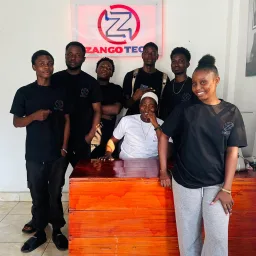
Tchabet Serge
ZangoTech trainer, Limbe
More in this program

 Free